What's new in Barista 1.1
Barista 1.1 is out on the App Store. The 1.0.x updates were mostly fixes and small additions; this is the first release that adds real features. Here are the main ones.
Command palette
Press ⌥⌘K and a Spotlight-style search box appears. Type part of a widget's name, pick it with the arrow keys and Return, and its popover opens. If the widget isn't in your menu bar, choosing it adds it and opens it.
Your own global shortcuts
Settings now has a Shortcuts pane where you can rebind the built-in shortcuts (the Barista bar, Search, Clipboard and the command palette), clear any of them, and add new ones: quick-add a reminder, quick-add a calendar event, or open any specific widget with its own key combination. Restore defaults puts everything back.
Popovers you can unpin
A popover no longer has to stay under its menu-bar icon. Unpin it (the corner button or ⌘P) and it becomes a small floating window with a title strip: drag it anywhere, resize it from the corner, and close it when you're done. It reopens where you left it, and a reset button folds it back under the menu bar.
Notifications open the right thing
Clicking a notification now opens the widget it came from, on the exact item. A new-mail notification opens that email, not just the inbox. Calendar notifications still open the meeting link.
Calendar: a horizontal layout
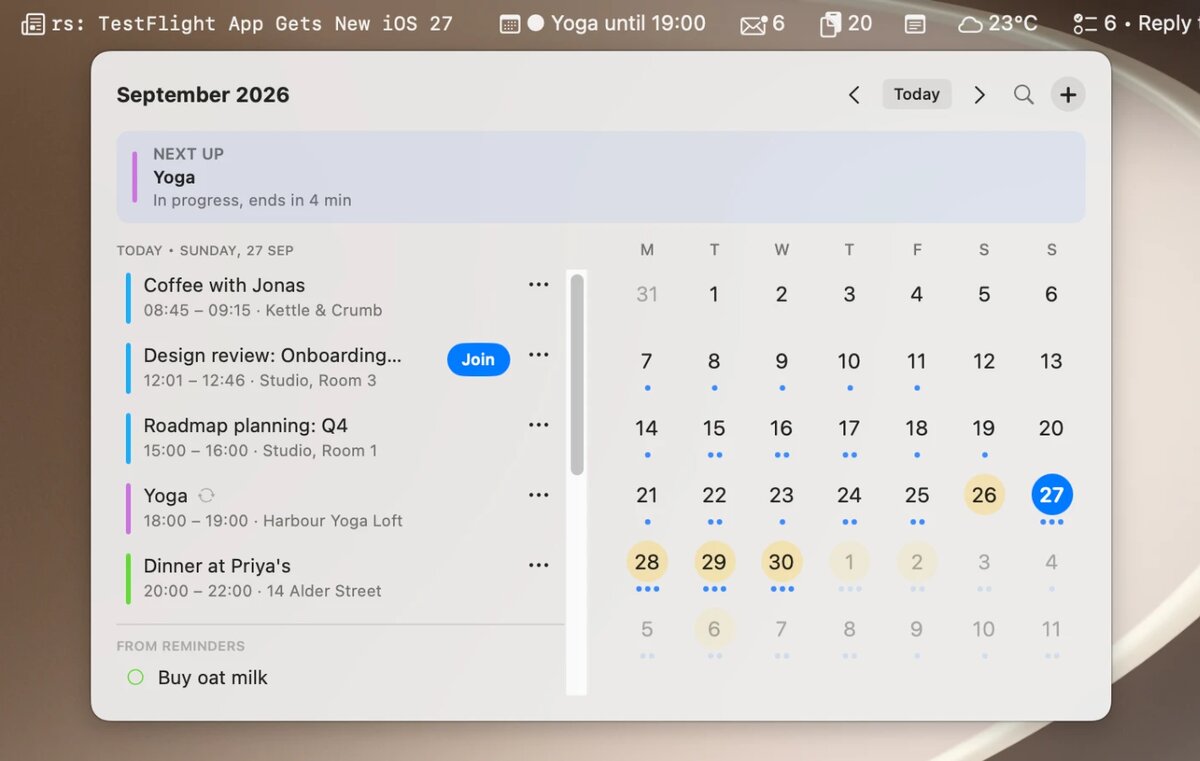
The calendar has a new Orientation setting. The original vertical layout is still there, and the new horizontal one works as a day dashboard: the day's events and reminders on the left, with an Upcoming section below them, and the month grid on the right. On a wide screen it shows a lot more at a glance.
Email: filters, VIPs and clearer unread mail
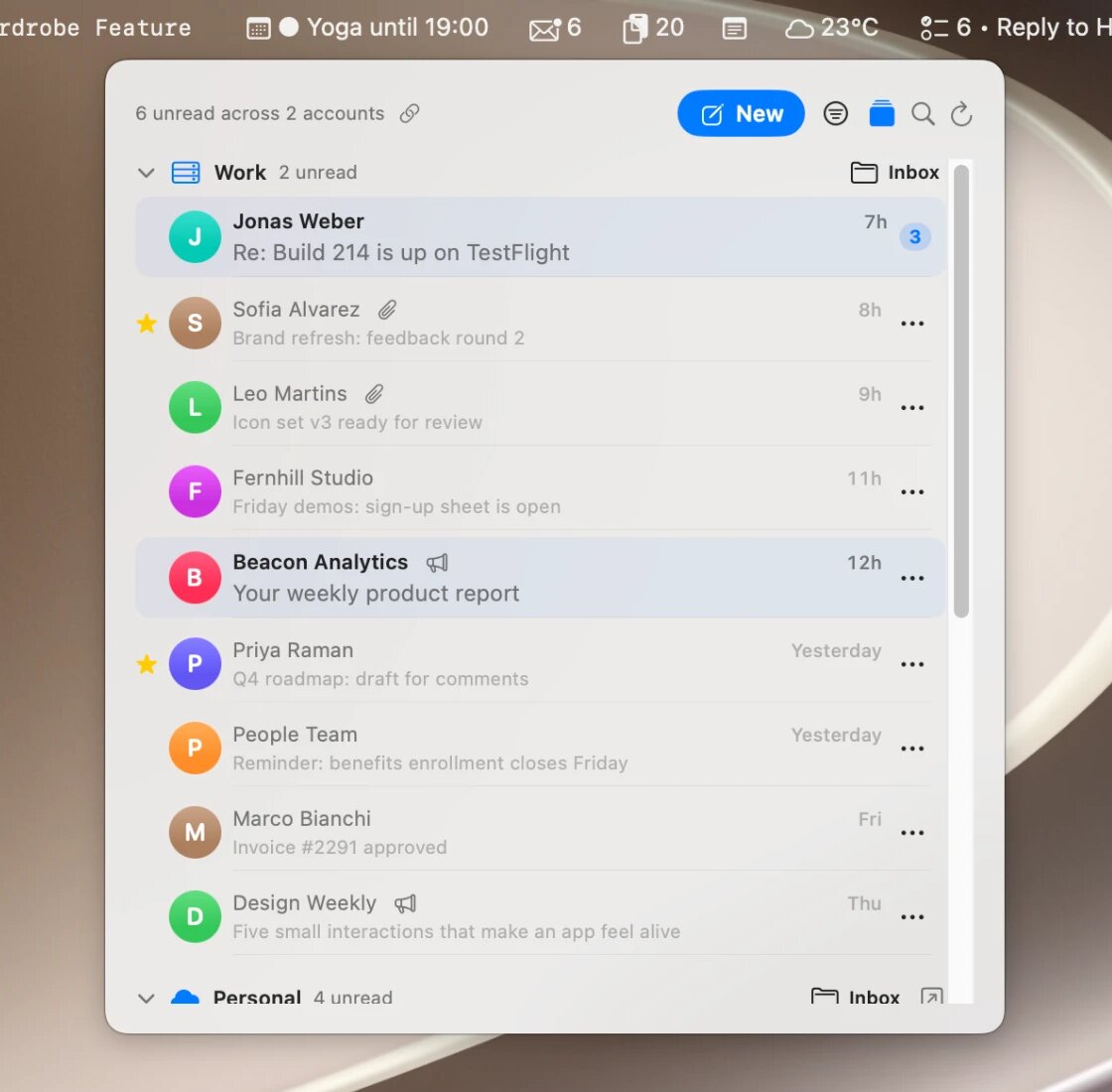
The email widget can now show only unread or only starred messages. You can mark senders as VIPs so their mail floats to the top, or mute senders so they disappear from the list. Unread messages are also easier to spot, with a tinted row and separators between messages.
Weather and News
Weather gets a 10-day forecast, a wide layout with the forecast on the right, and next-hour rain and severe-weather alerts where WeatherKit provides them. News gets read and unread state with Mark all read, a saved list for reading later, notifications when a headline matches a keyword, and OPML import and export so you can bring your feeds from another reader.
Fixes
1.1 also fixes a crash when opening the calendar after an event had been deleted elsewhere, some emails showing up as raw encoded text instead of the message, and the Webpage and Email widgets going blank when macOS reclaimed their web renderer. They now recover on their own.
The full list is in the app's What's New window.
Barista is on the Mac App Store.